AI
Bringing intelligent automation directly to Data Editor and Table Designer.
Table Designer
Data Editor
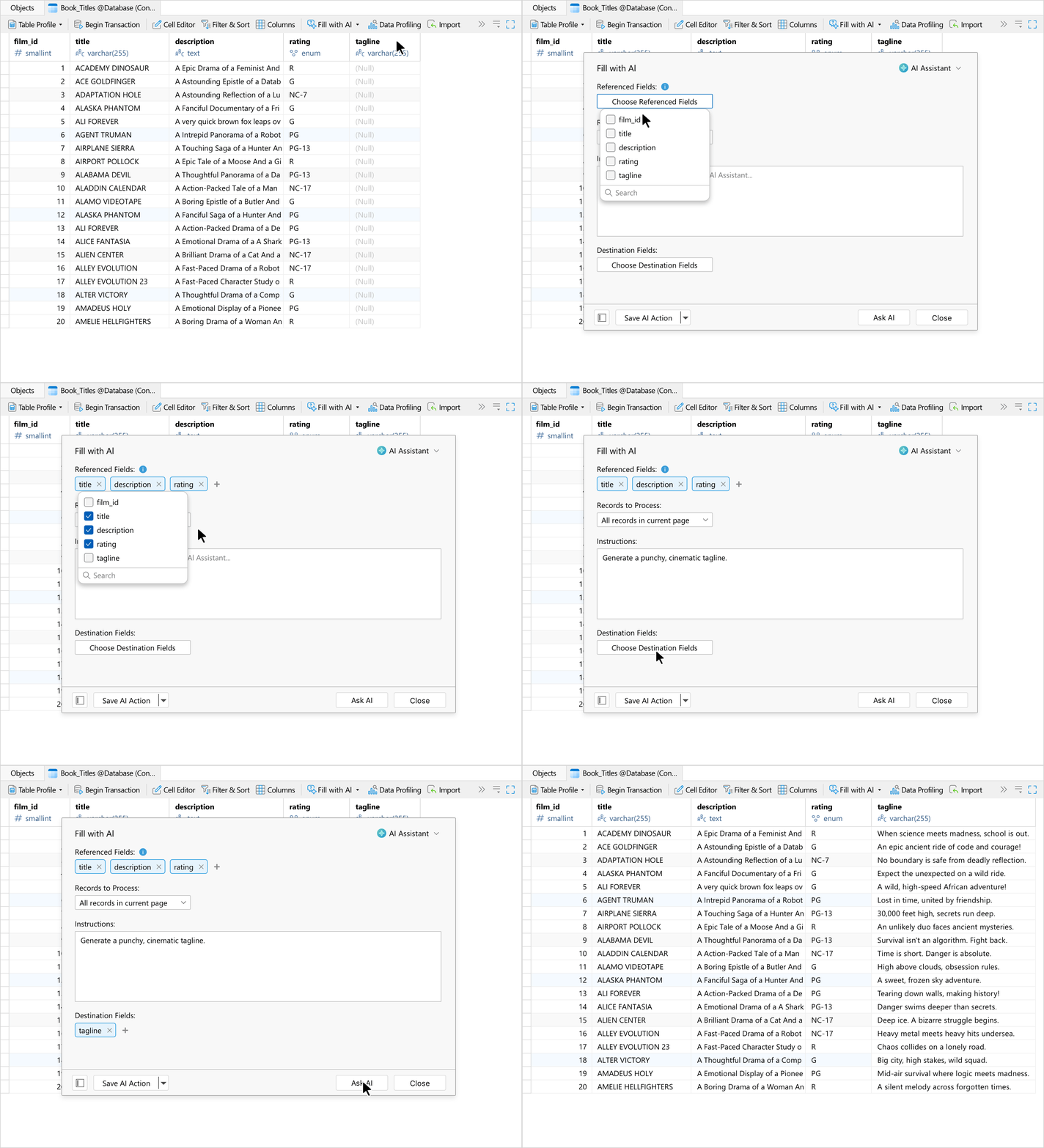
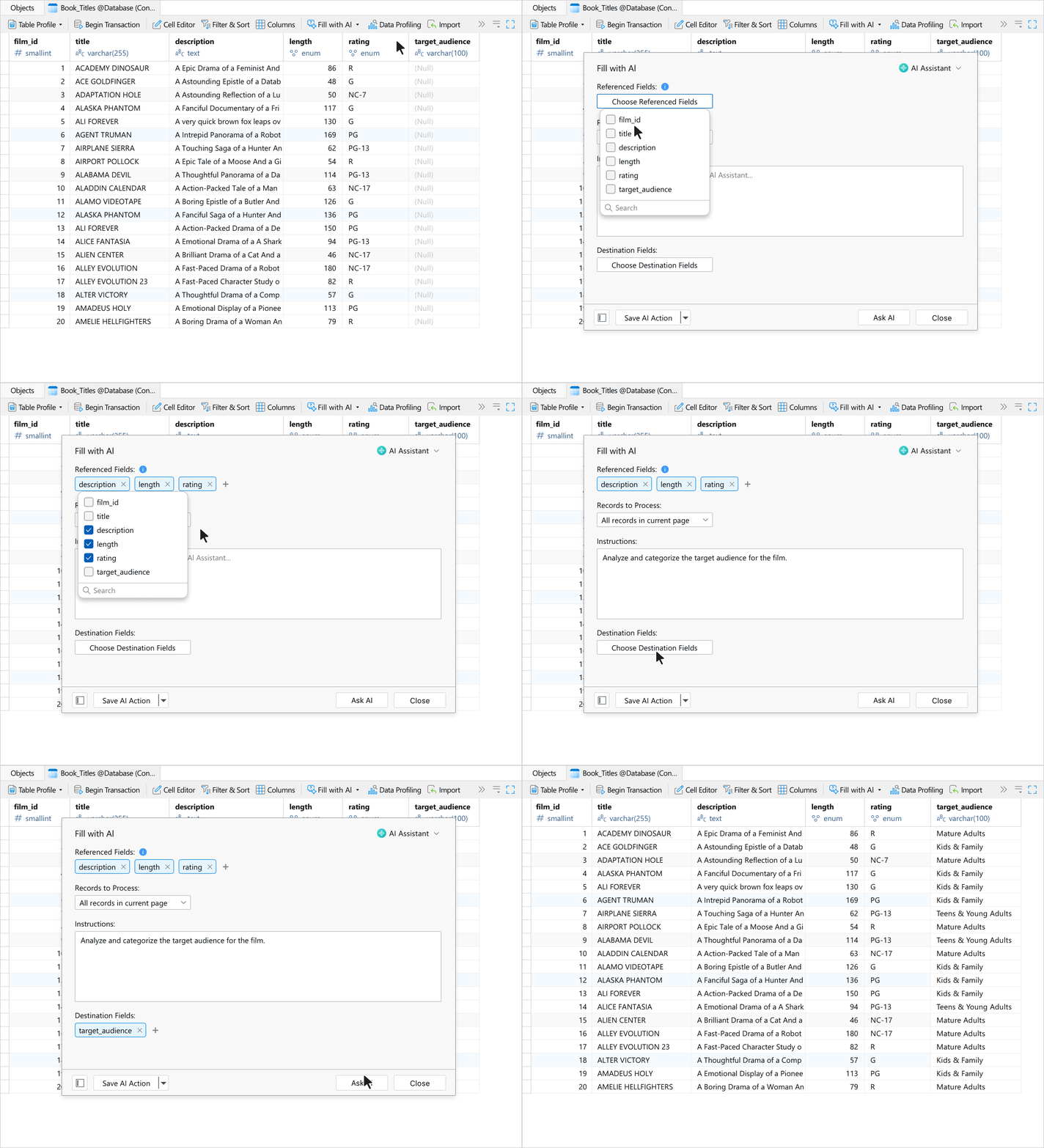
Fill with AI
Populate, translate, and analyze your columns in seconds. Fill with AI looks at your existing columns to automatically generate, convert, or summarize information directly inside your table for a variety of use cases, such as:
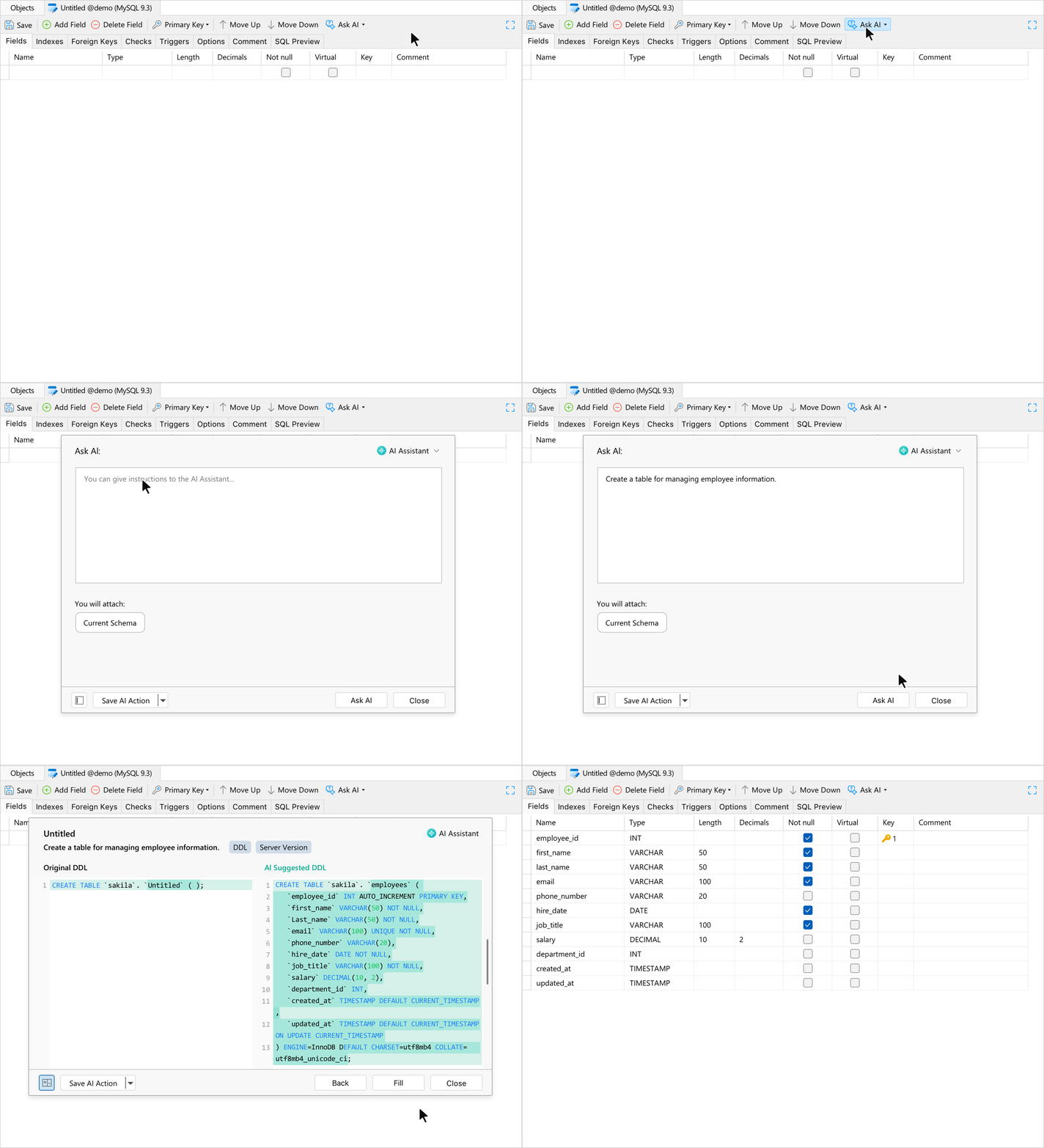
Ask AI
Design a table in seconds just by describing what you need. It intelligently defines columns and data types, eliminating tedious manual setup and drastically speeding up your design process.
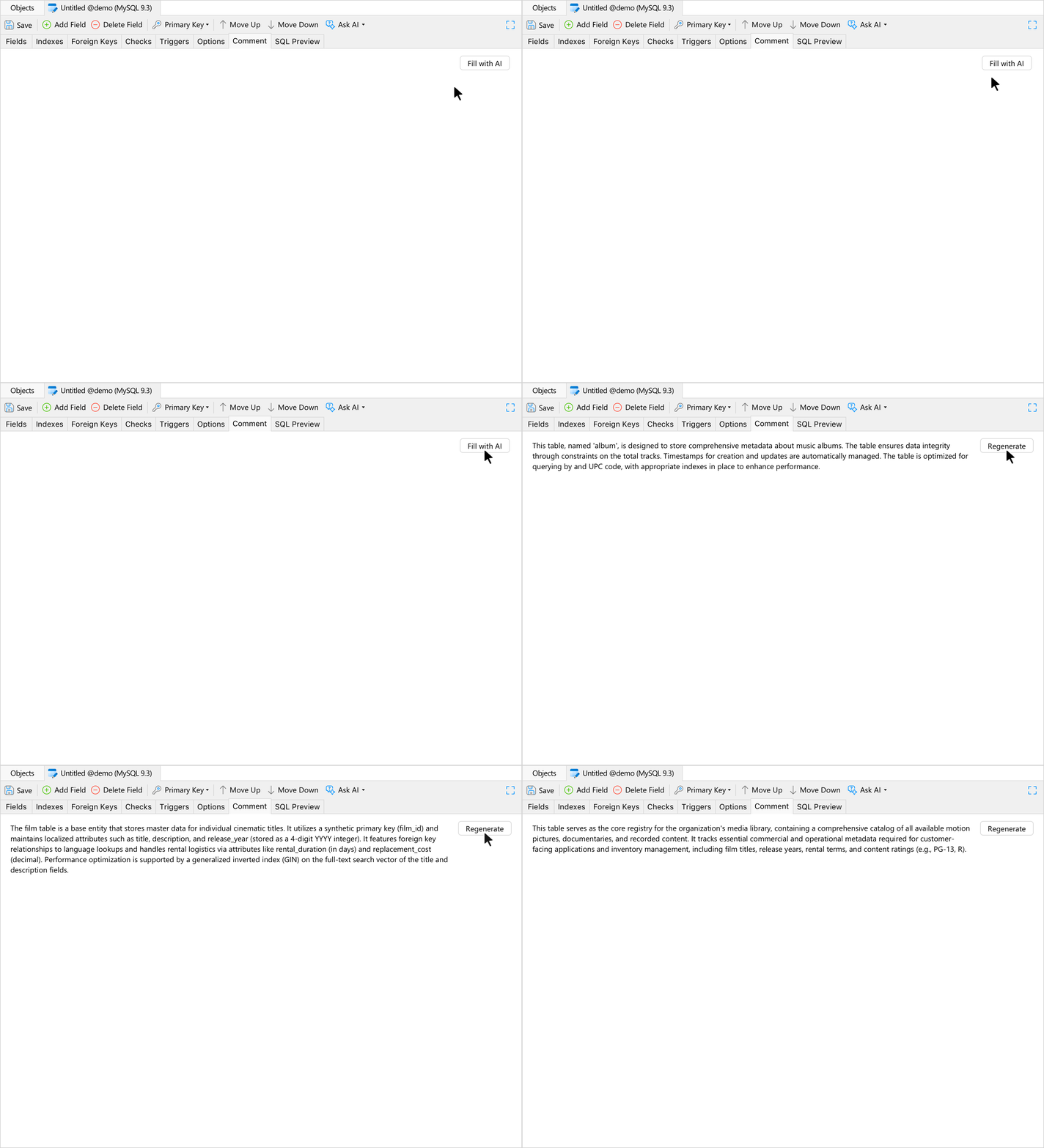
Fill with Comment
Speed up your documentation with instant table summaries. It automatically analyzes your field definitions to create a clear table comment, making it easy for anyone to understand the table's purpose at a glance.
Use Case: Data Fill
Instantly fill missing gaps or generate completely new rows of realistic information.
Use Case: Data Insights
Clean up and evaluate your records by using simple prompts to categorize text, catch mistakes, or summarize long text blocks.
Query Editing
Elevating code precision and speed right inside the SQL Editor.
Refactoring
Real-Time Error Detection
Code Insight
Code Insight
Track database structures, trace sources, and uncover related items instantly.
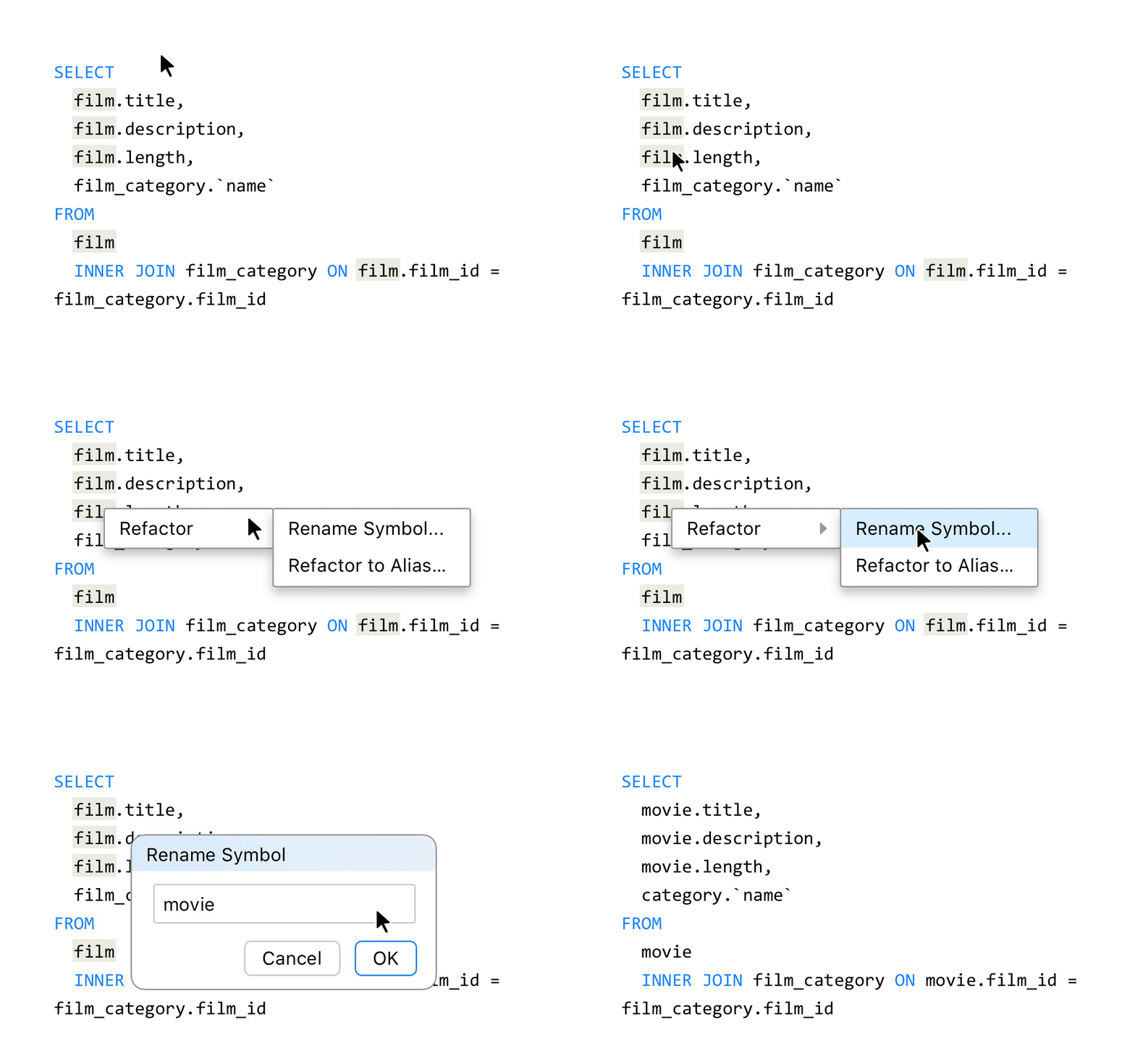
Refactoring
Maintain clean code and restructure complex queries effortlessly without breaking dependencies.
Rename Symbol
Safely update aliases or object identifiers uniformly throughout your entire script in a single action.
Rename Symbol
Safely update aliases or object identifiers uniformly throughout your entire script in a single action.
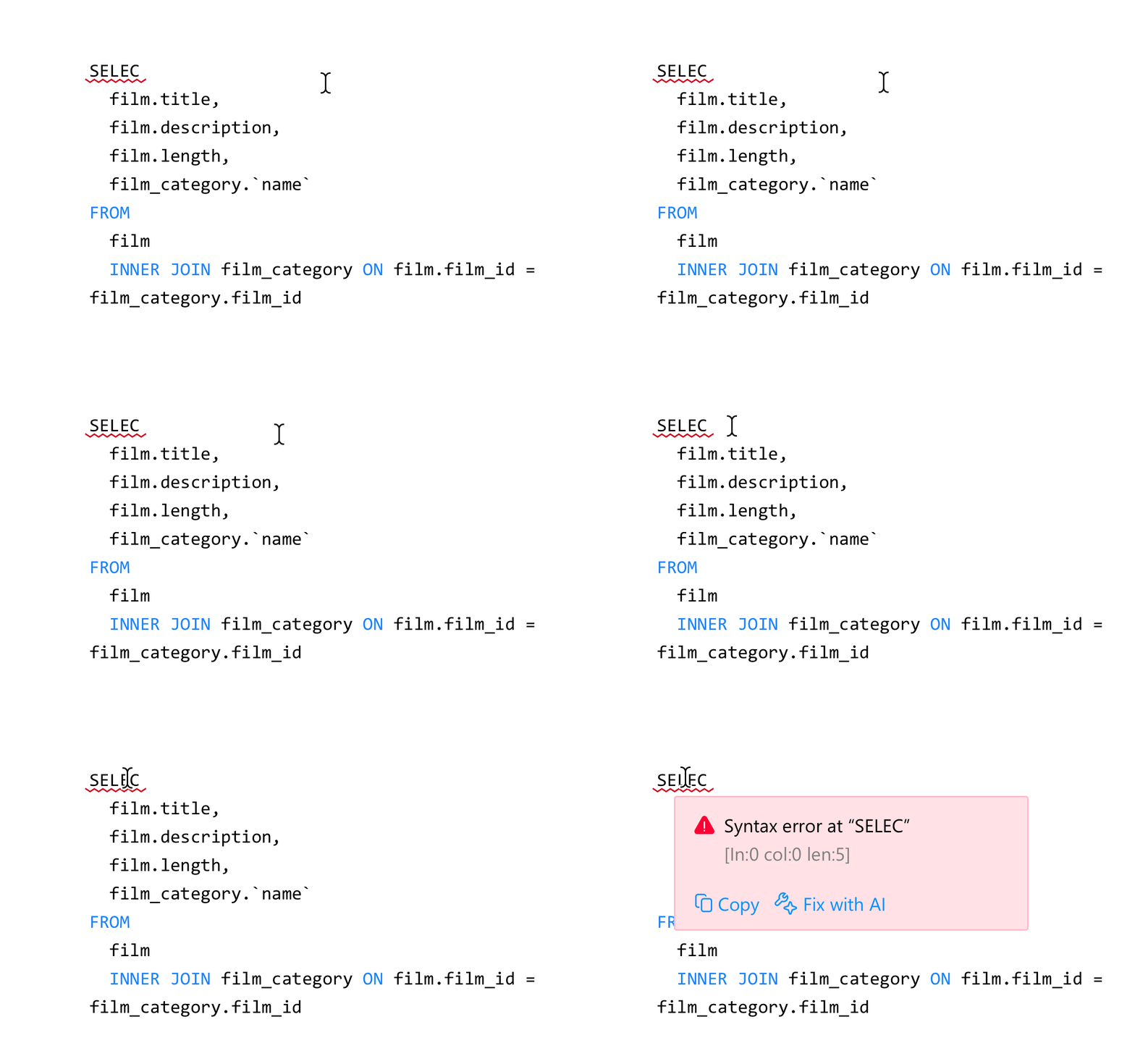
Real-Time Error Detection
Catch bugs before they execute. The editor constantly analyzes your script as you type to pinpoint syntax flaws, invalid schema objects, and ambiguous column references, ensuring flawless query execution.
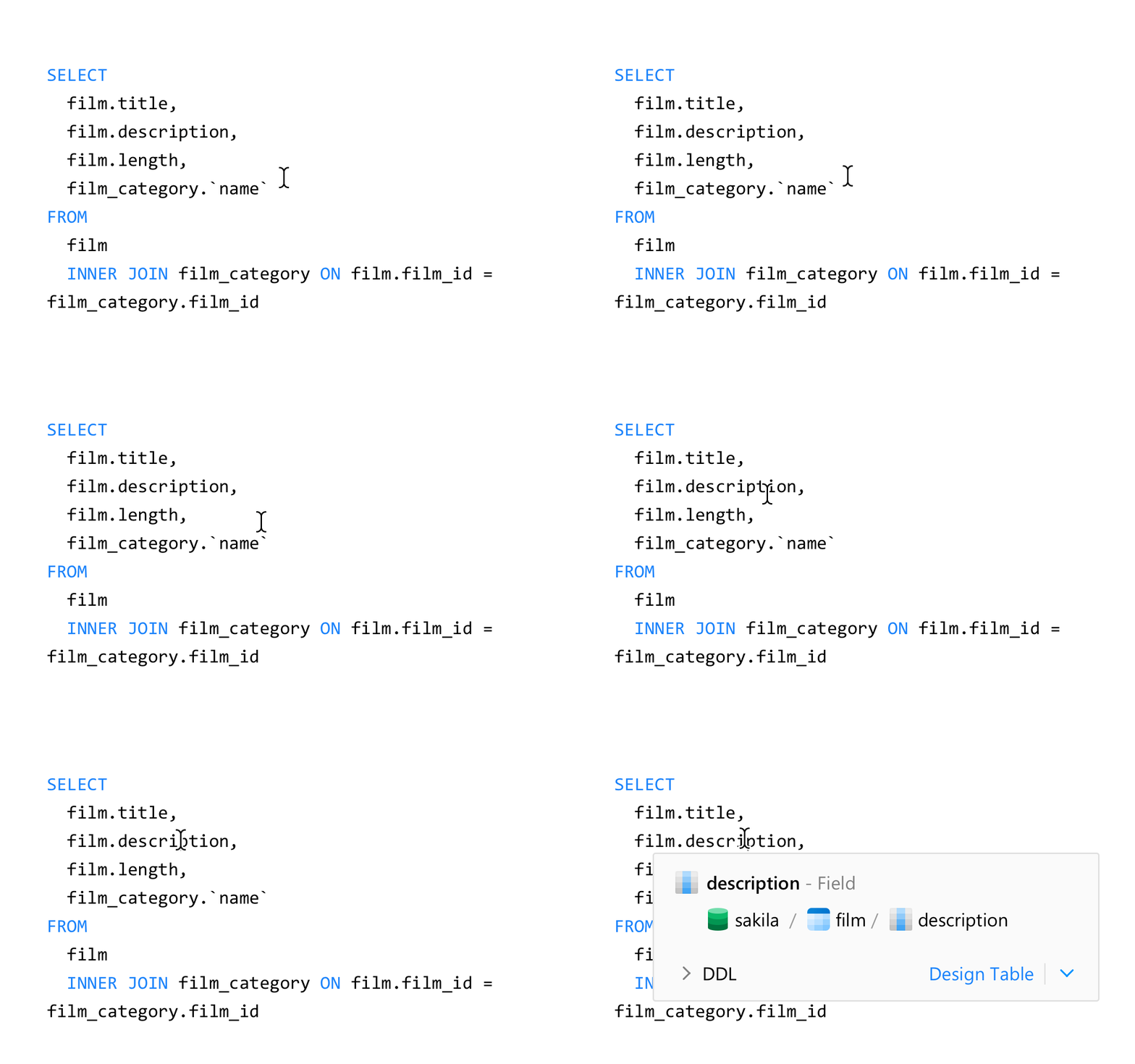
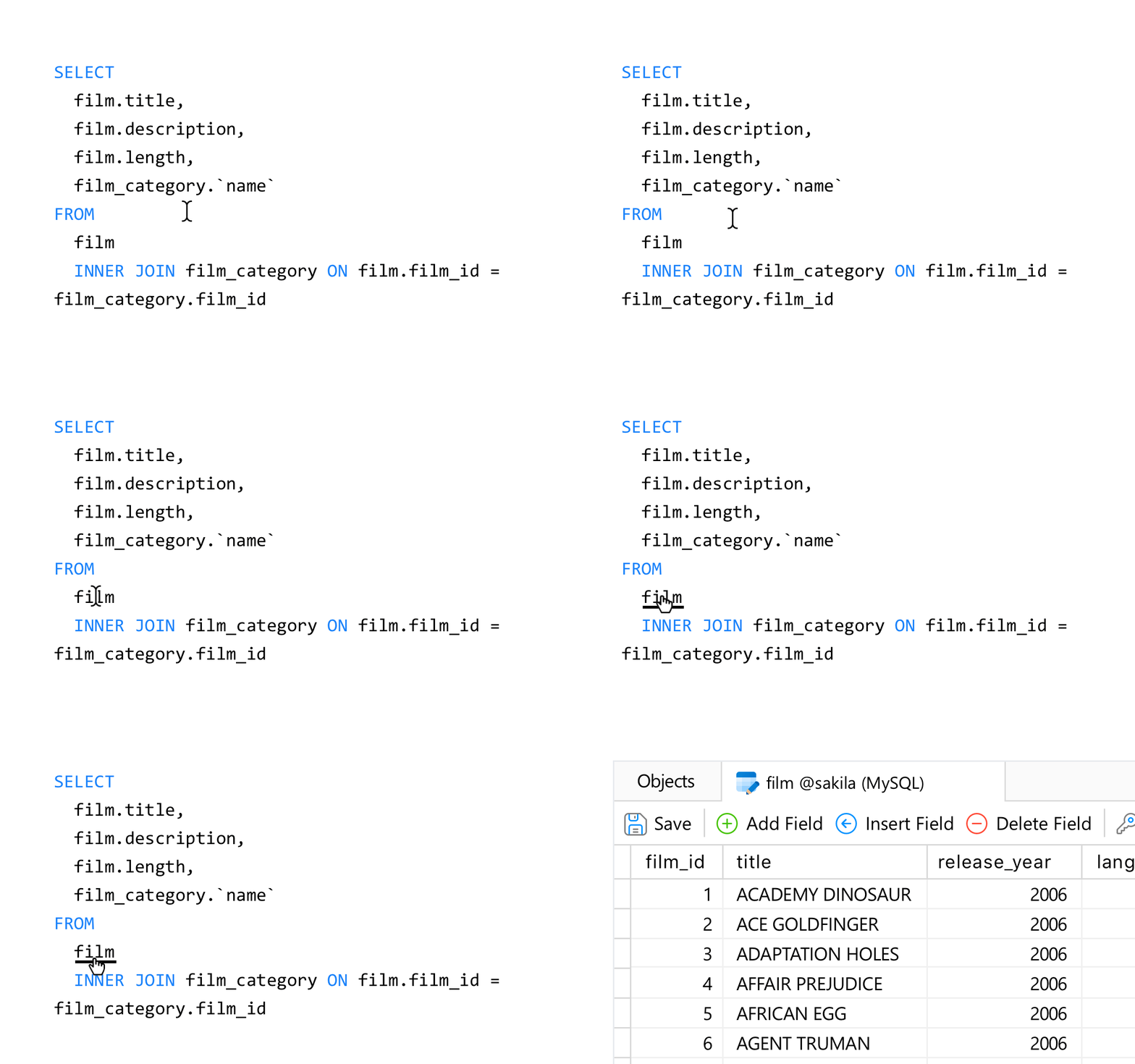
Hover Info
Access critical metadata - including schemas, data types, and comments - simply by hovering over any object, completely eliminating tab switching.
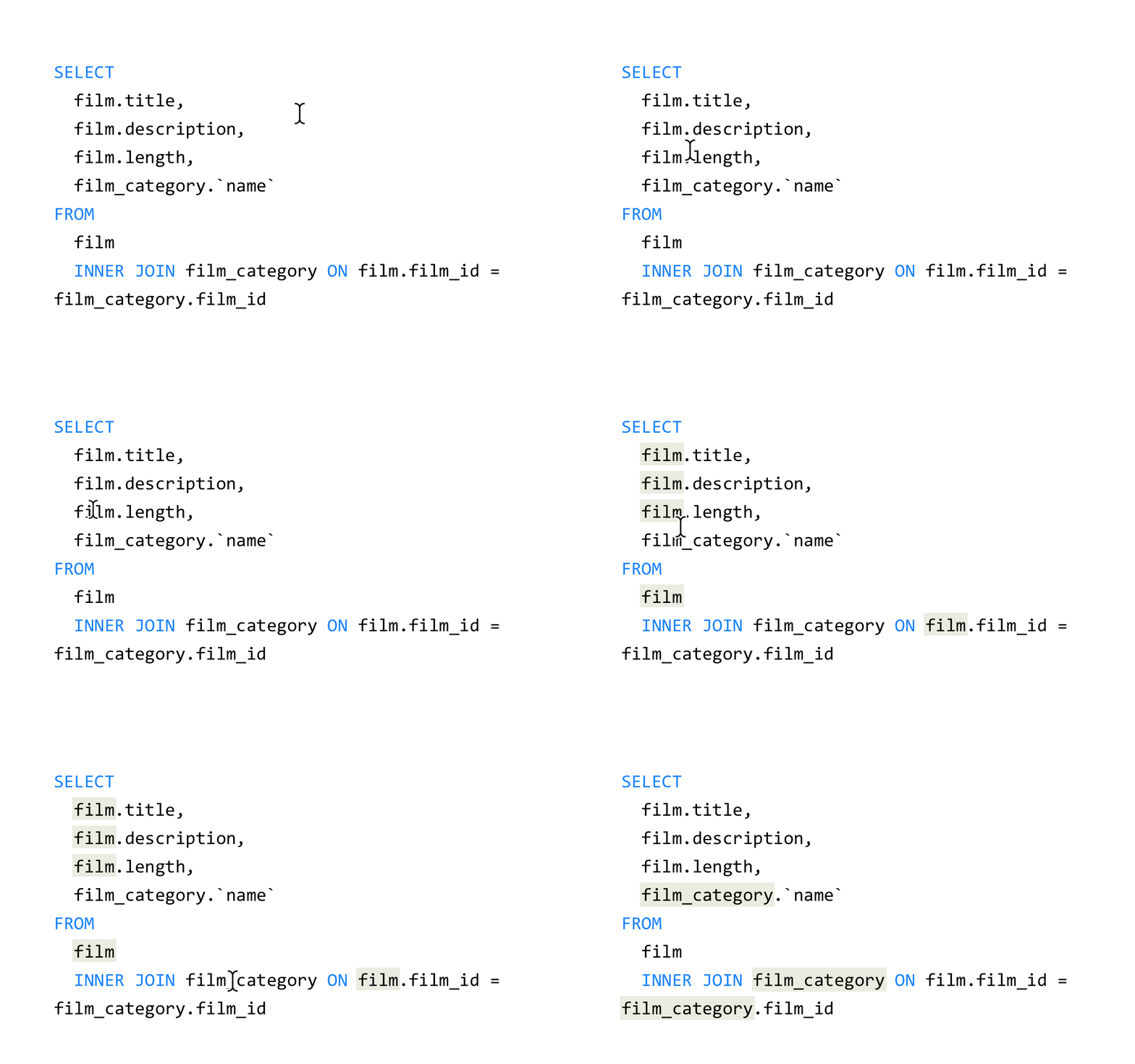
Highlight Usages
Click any identifier or alias to immediately illuminate every instance of that symbol, making intricate joins effortless to trace.
Go to Declaration
Use a simple Ctrl+Click on any symbol to jump directly to its Table Designer or DDL view, entirely bypassing manual sidebar navigation.
Data Masking
Secure sensitive production data for safe, compliant testing.
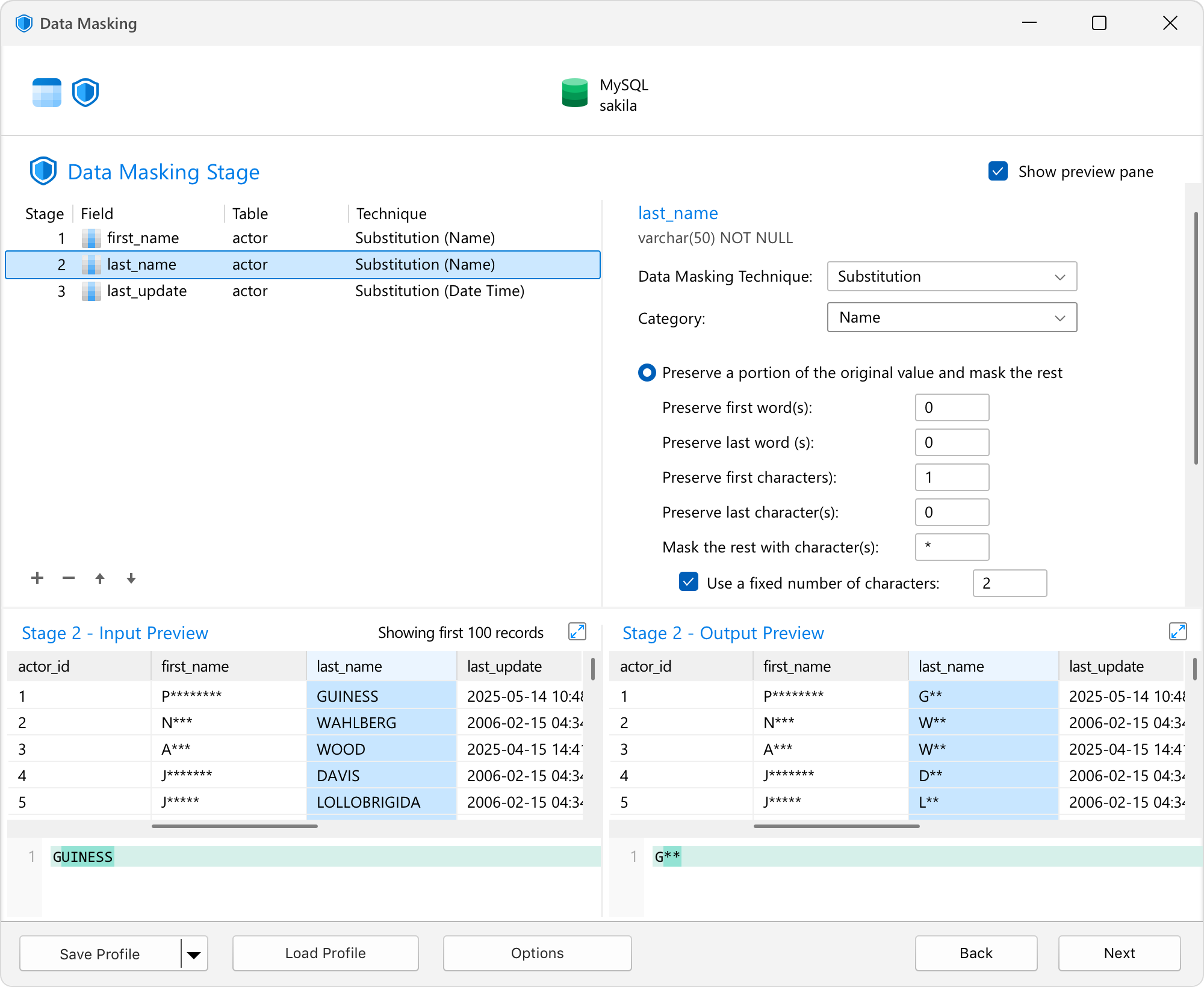
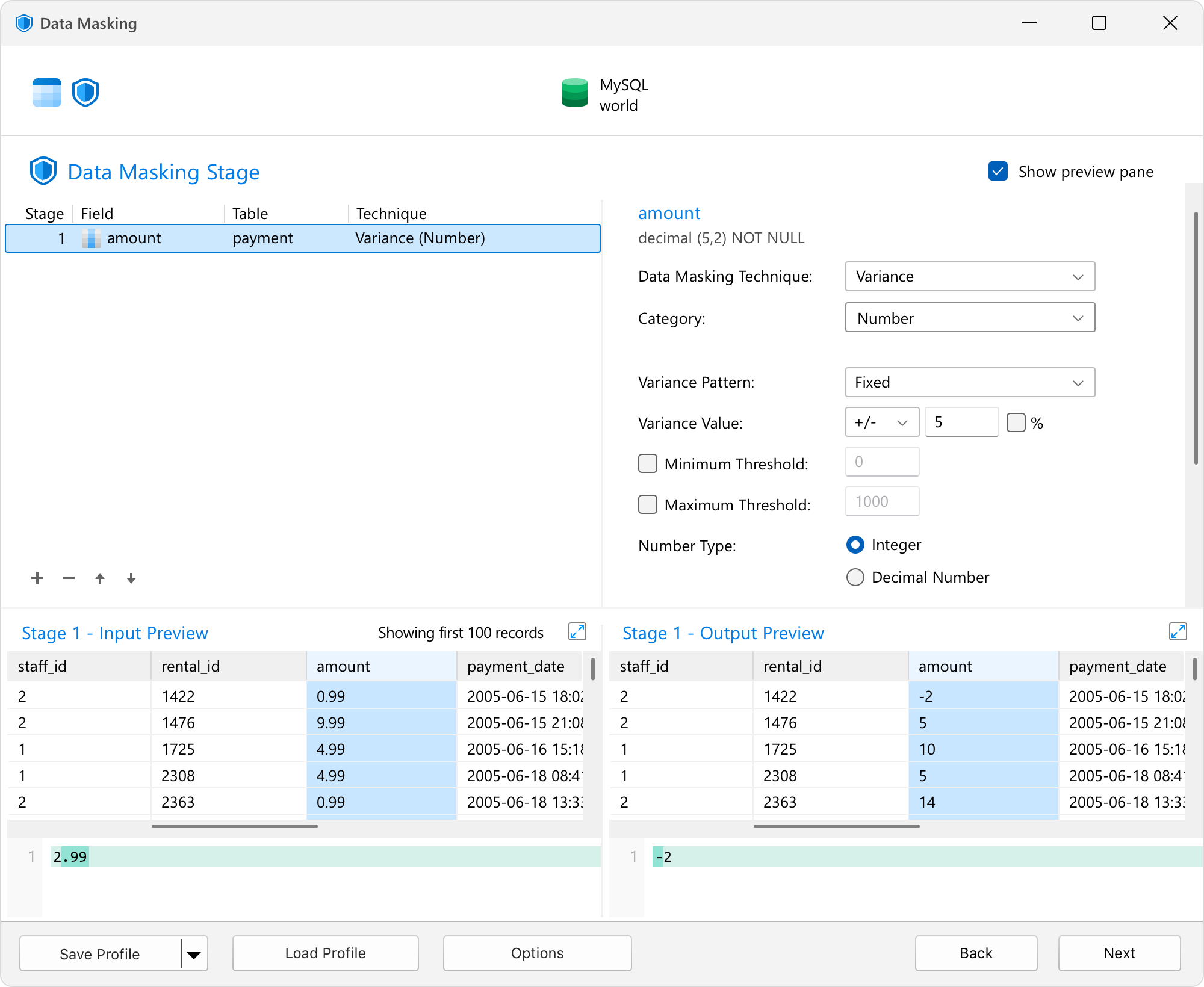
Protect user privacy and meet strict compliance standards without losing data utility. Navicat 18 transforms sensitive production records into safe, realistic mock data so your testing, development, and QA teams can work effectively without risking data leaks.
Fully supports industry-standard masking techniques including Substitution, Variance, Shuffling, Hashing, and Nulling.
Substitution
Variance
Model
Unifying conceptual design, data governance, and rapid schema management.
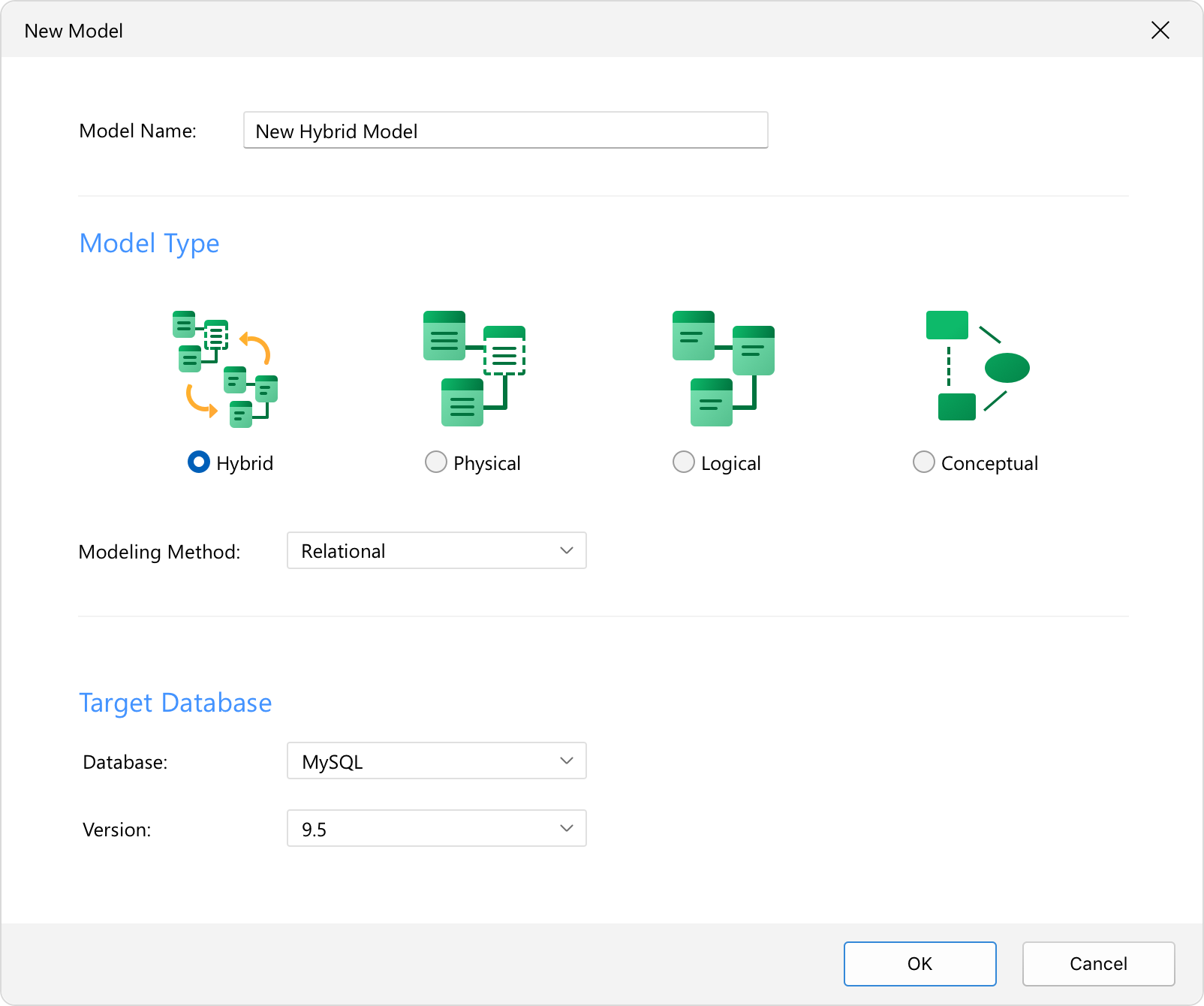
Hybrid Model
Naming Standards & Glossary
Bulk Editor
Hybrid Model
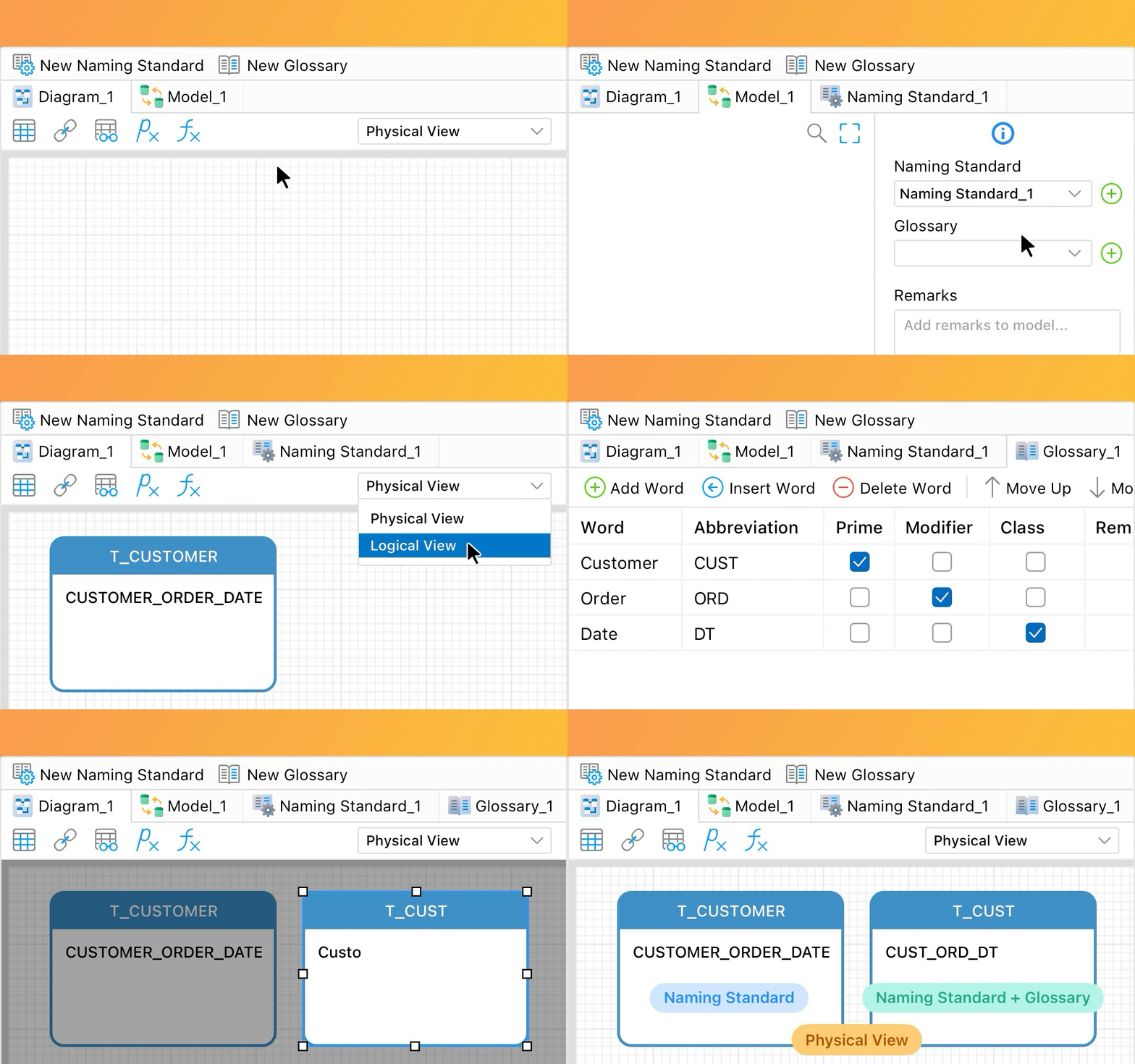
Maintain logical entities and physical constraints together in a single workspace. This unified environment seamlessly bridges the gap between your abstract conceptual designs and actual physical database structures.
Naming Standards & Glossary
Keep your database architecture organized, compliant, and unified across your entire organization. Automatically enforce strict naming standards using custom casing, separators, and prefixes, while leveraging a centralized glossary to align technical definitions perfectly across different engineering teams.
Bulk Editor
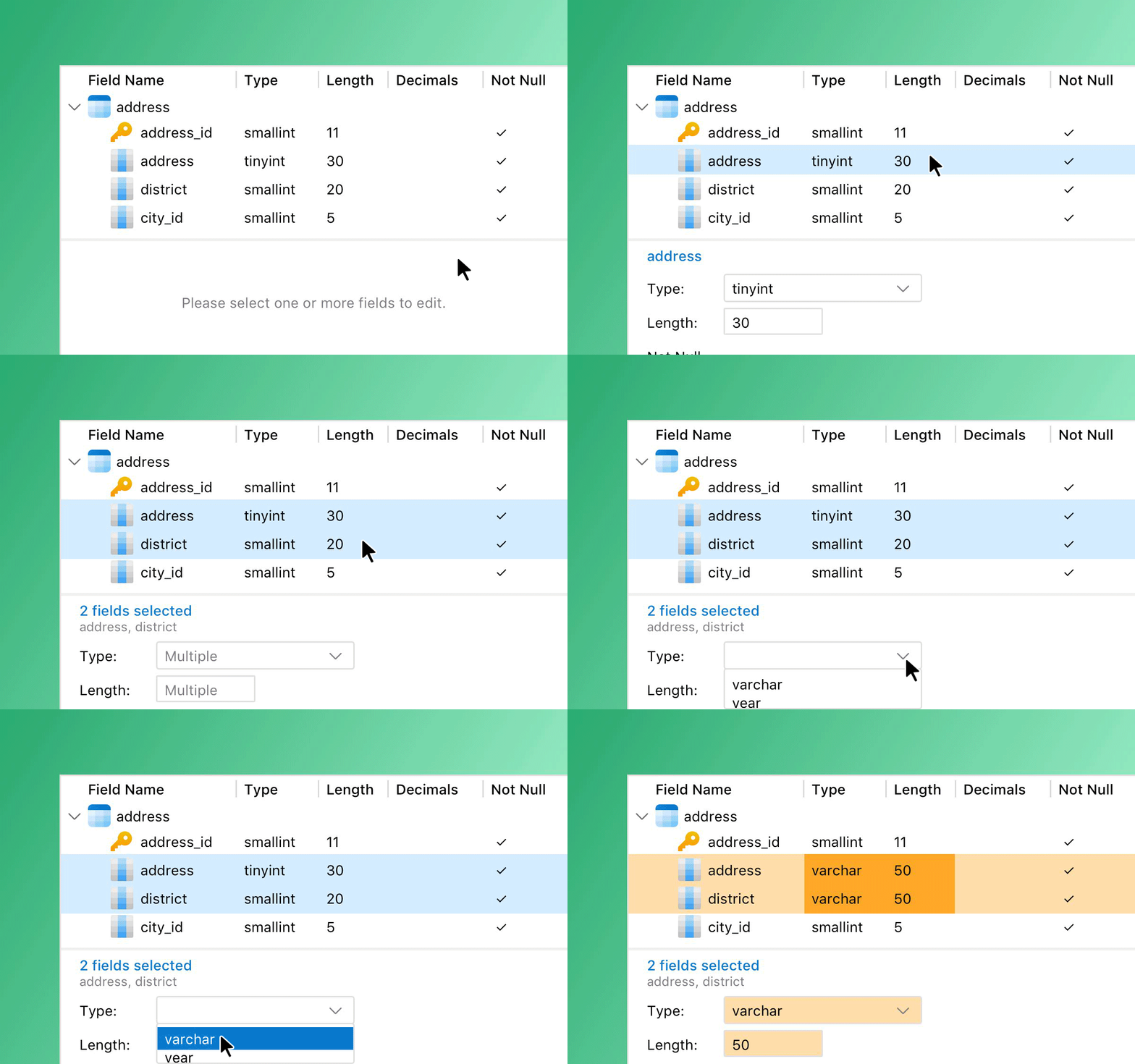
Streamline heavy architectural updates with a single workflow. View, manage, and edit fields across multiple tables simultaneously from a centralized hierarchical view, completely eliminating the tedious need to open and modify database tables individually.
BI
Elevating your dashboard experience with advanced interactivity and smarter layouts.
Auto Tile
Parameters
Add-ons
Auto Tile
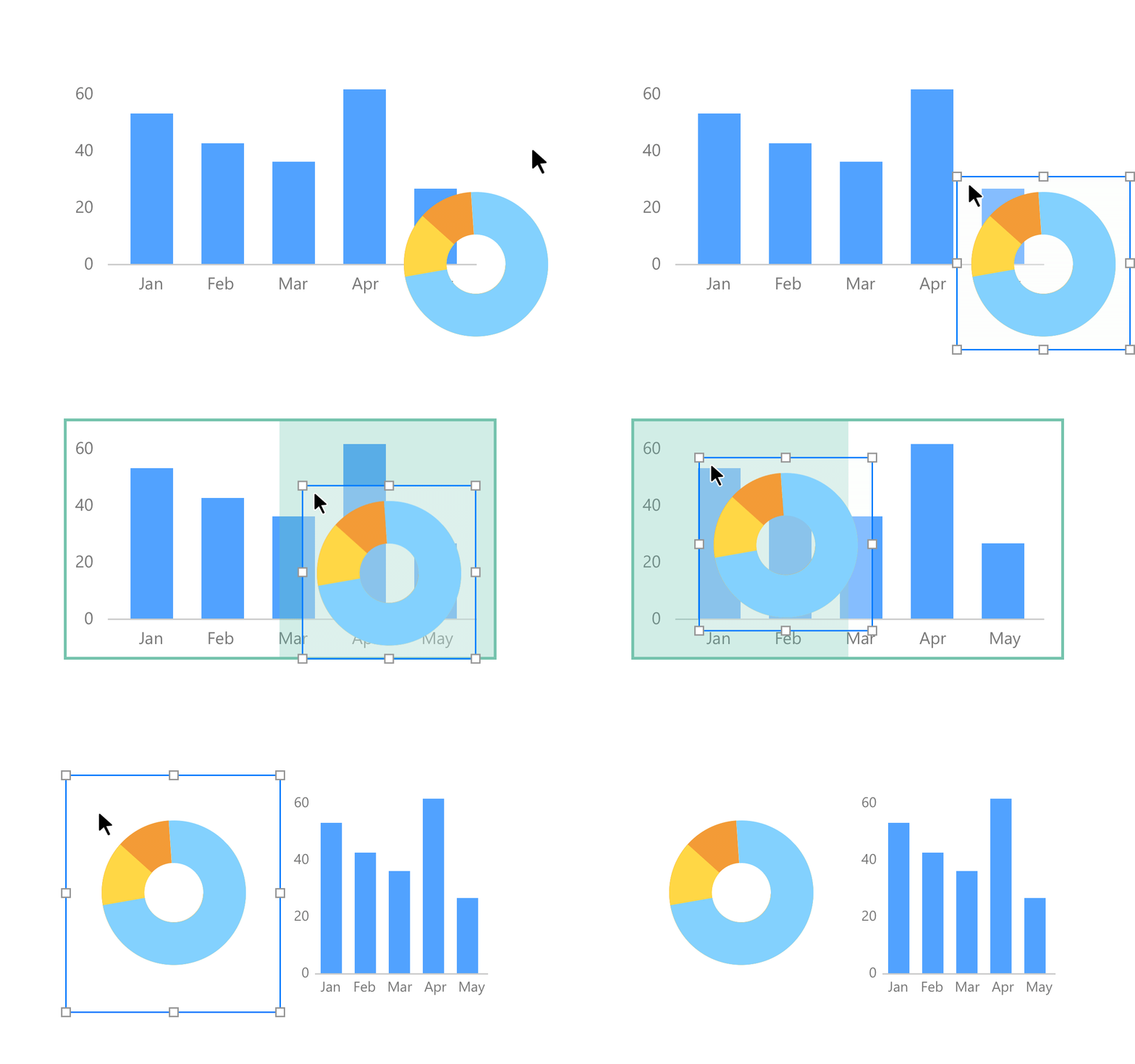
Snap dashboard components into a perfectly structured framework. Simple drag-and-drop actions automatically align and resize your charts to fit the screen, delivering a flawless, professional layout instantly without manual pixel-pushing.
Parameters
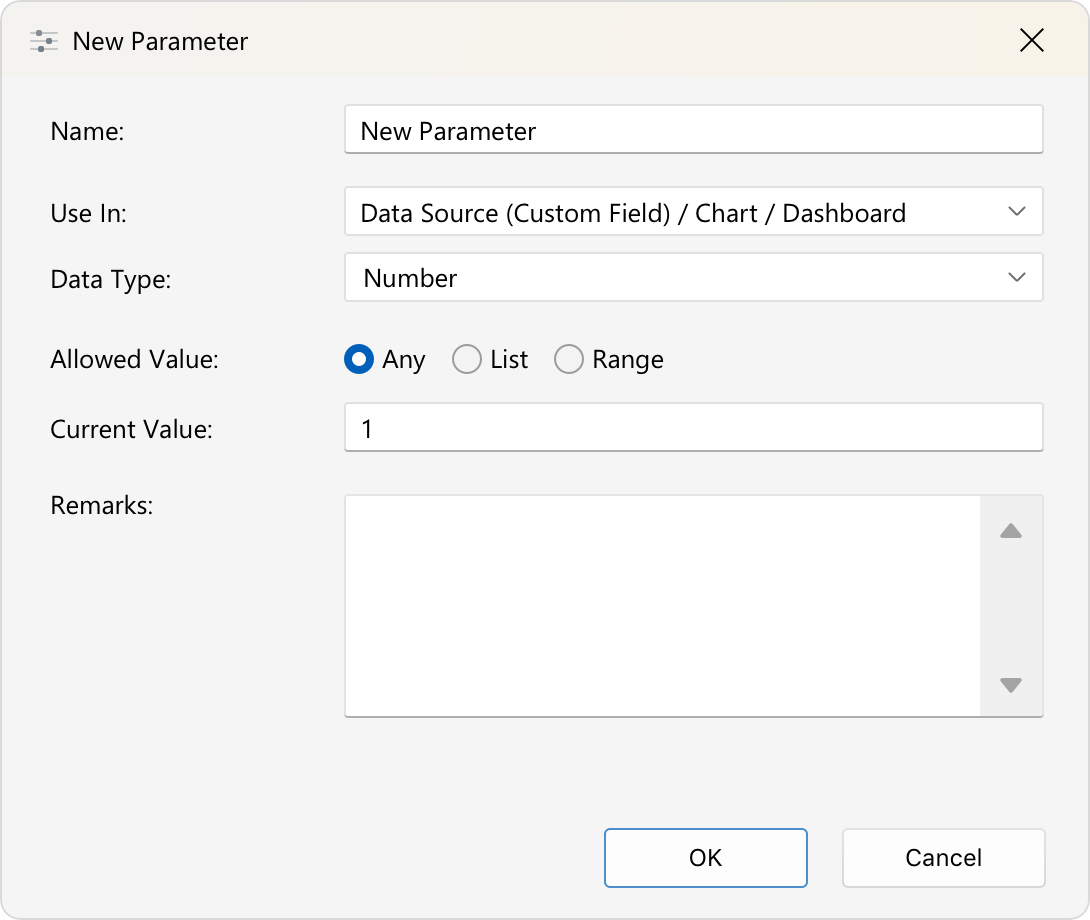
Control your data displays dynamically across your entire workspace. By defining global variables, you can filter, manipulate, and interact with key values on demand, allowing you to customize your visual insights with a single adjustment.
Add-ons
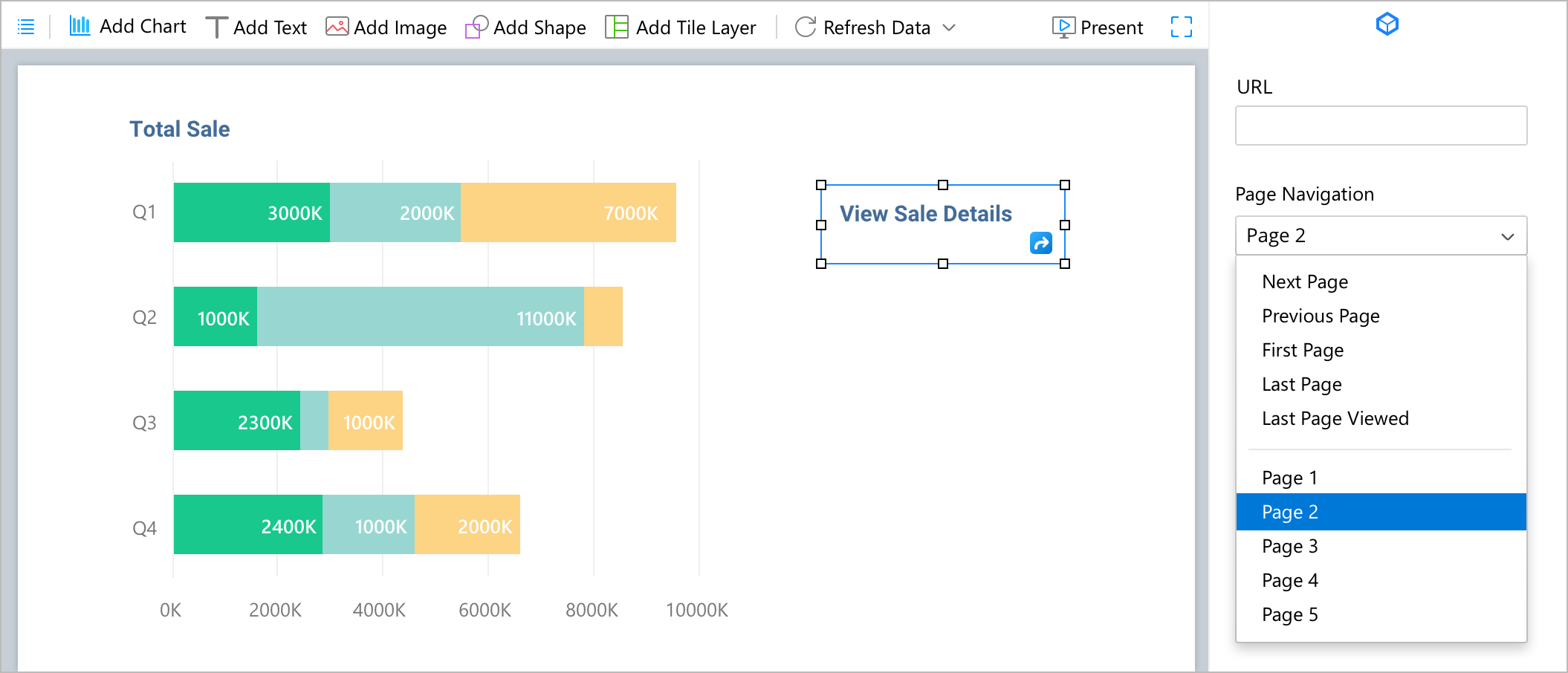
Inject higher interactivity and real-time responsiveness into your reporting. Easily configure Page Navigation to link charts, labels, or images for seamless, single-click jumps between dashboard pages, and deploy Auto Refresh to pull live data automatically at specific intervals - completely eliminating manual reloading.
Others
Batch Editing
Record Navigation
Import Wizard
Personal Profile Sync
Session History
Batch Editing
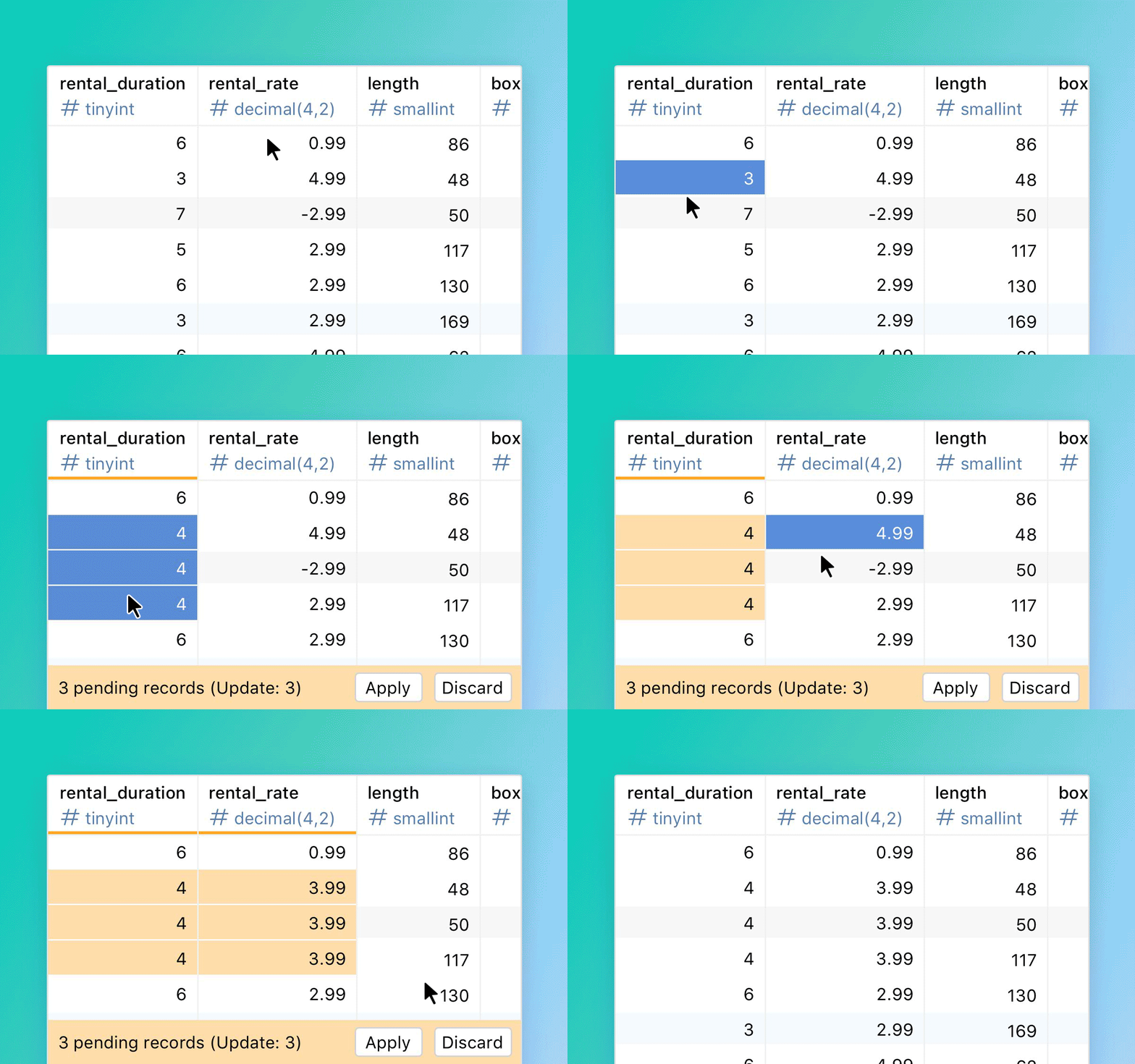
Modify multiple records freely across your grid without triggering automatic saves as you switch cells. A new Apply/Discard bar aggregates your updates for quick review, giving you the total control to commit or discard your changes in a single, safe batch only when you are ready.
Record Navigation
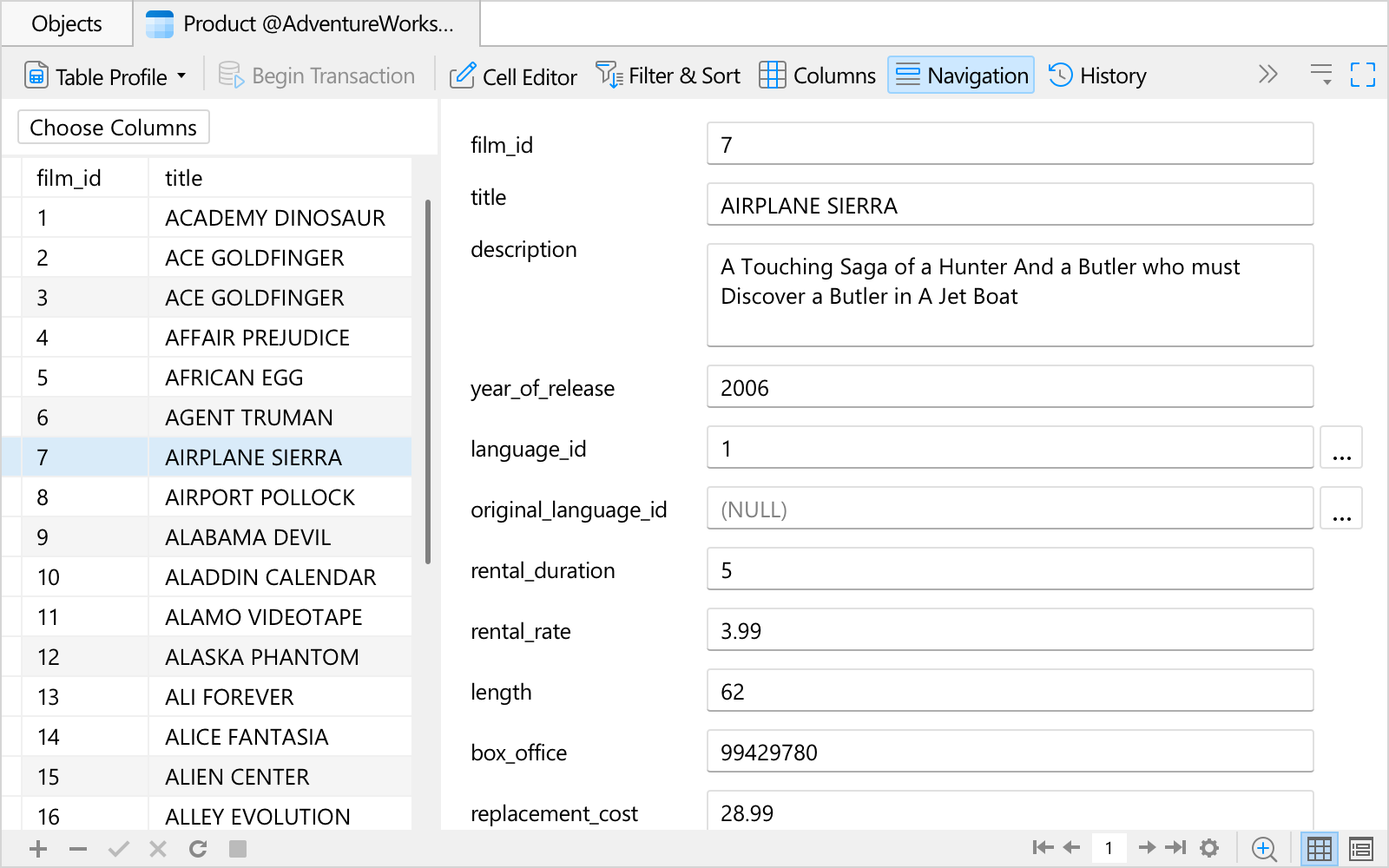
Bypass tedious sequential clicking in Form View. A new, dedicated side panel lets you quickly scan through your datasets and jump directly to any specific record instantly, entirely eliminating the need to click "Next" repeatedly to find the exact data point you need.
Import Wizard
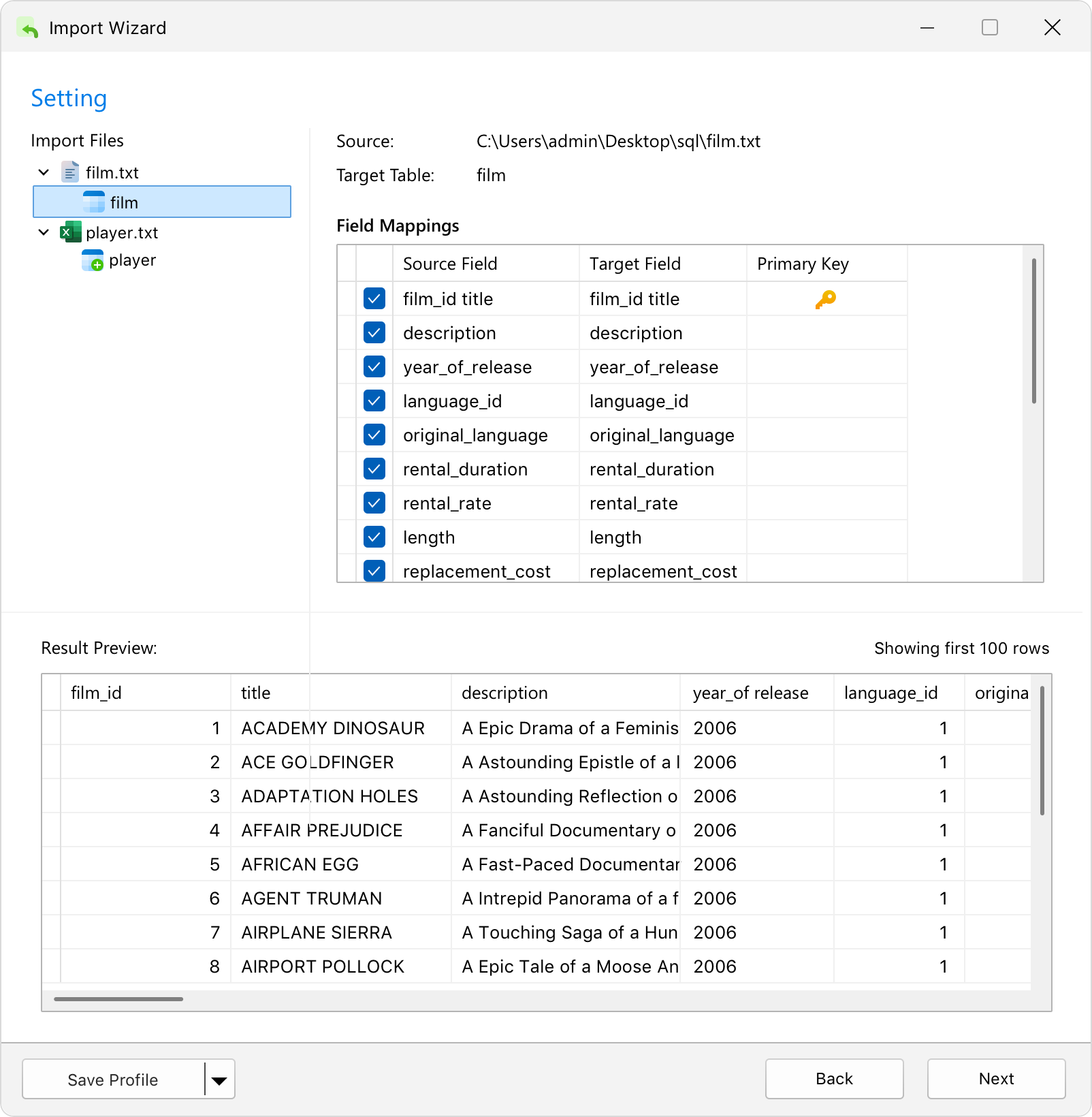
Experience an all-new, single-step import flow designed for ultimate flexibility. Combine multiple file types into a single table, or map a single source file to multiple tables simultaneously. The new preview panels offer immediate visual feedback, showing you exactly how your source data transforms into the final result before you import. This release also adds support for Parquet files.
Personal Profile Sync
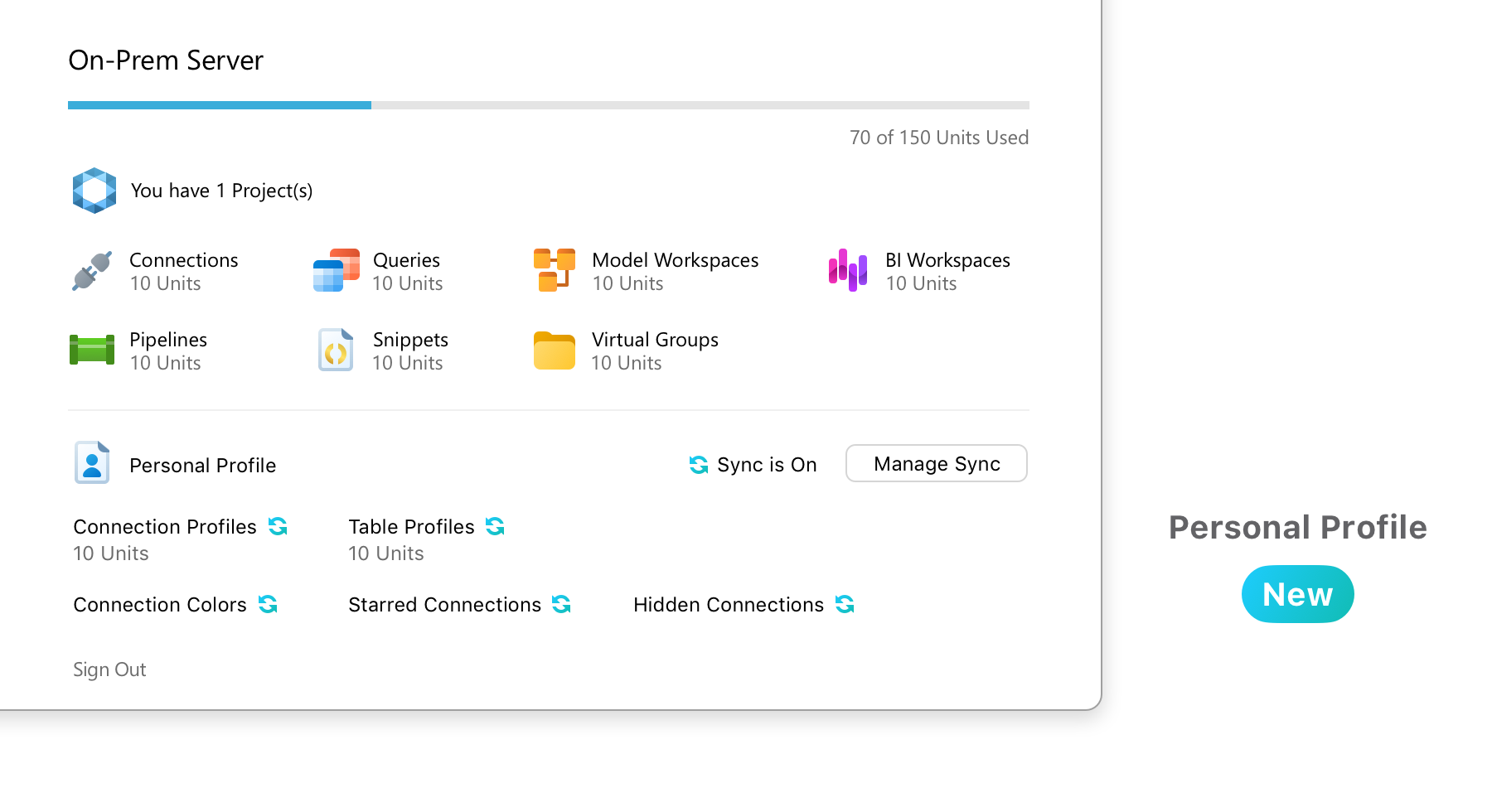
Ensure your private workspace preferences follow you everywhere you log in. Separate from shared team project data, you can now securely sync your personal table profiles, connection profiles, starred favorites, and UI color configurations directly to your own cloud account - keeping your customized environment strictly private and accessible only to you.
Session History
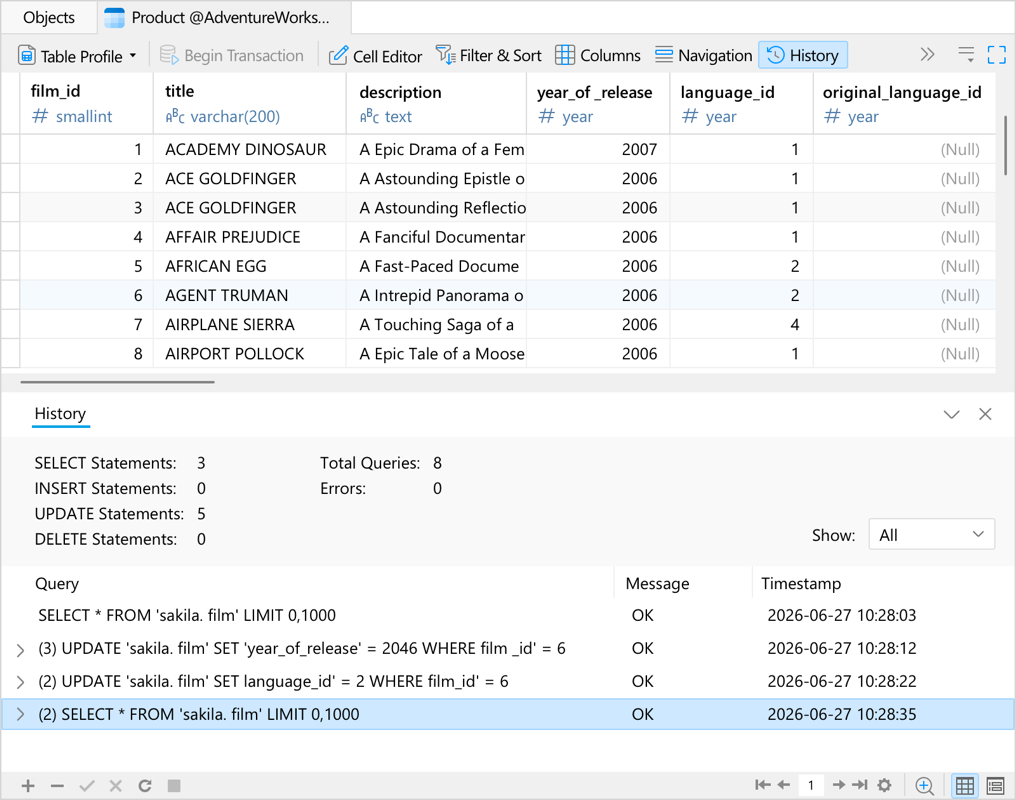
Track your database commands effortlessly within your active workspace. Session history records every SQL query executed since the data editor was opened, providing a clear activity log to easily review your history, monitor changes, and verify exactly which instructions were sent to the server.